Overview
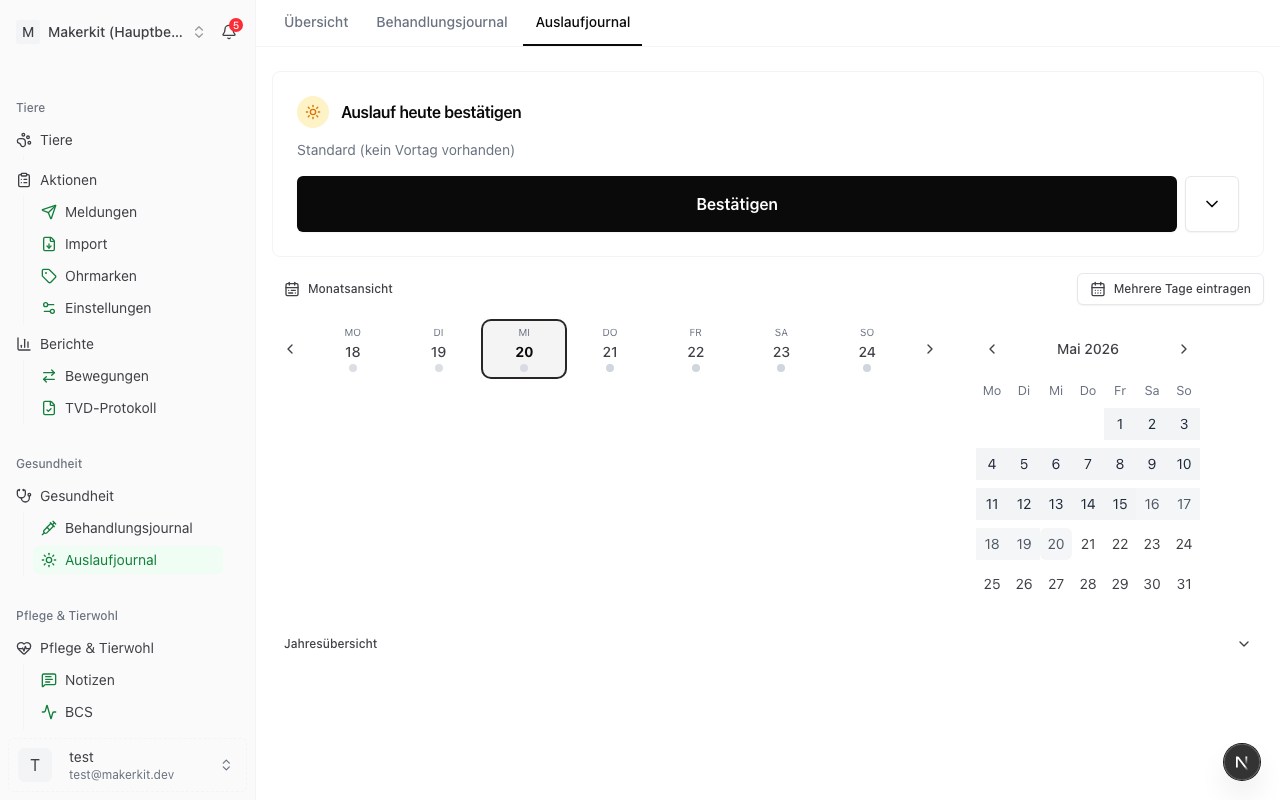
If you participate in the RAUS programme (regular outdoor exercise) or the BTS programme (particularly animal-friendly housing), you must maintain an exercise log. It proves on which days your animals had outdoor access -- including exceptions (e.g. bad weather).
The exercise log in Herdy meets the requirements of the Direct Payments Ordinance and is designed for inspection purposes.
Recording an exercise day
- Go to Health > Exercise log
- Tap New entry
- Select the reference:
- Per animal -- single animal
- Per group -- entire group at once
- Multi-entry -- several animals or groups for the same day and category
- Select the date
- Select the category:
- Pasture -- outdoor access on pasture
- Exercise yard -- hard-surfaced outdoor area
- Alpine summering (Sömmerung) -- stay on alpine pasture (see automatic transfer)
- No exercise -- weather -- storm, heat, extreme cold, etc.
- No exercise -- animal welfare -- e.g. sick animal
- No exercise -- other -- with free-text reason
- Optional: Note for details
- Tap Save
Tip: For "No exercise" it is important to document the reason -- the inspection wants to see that exceptions are justified and comprehensible.
Automatic alpine summering transfer
Animals that are recorded in Herdy as being on an alpine summering (Sömmerung) (see TVD > Summering) automatically appear with the category "Alpine summering" for every day of the alpine stay. You therefore do not need to create any additional entries for the alpine period.
- When the animals are driven up (alpine drive-up), automatic recording starts
- When they are brought down (alpine drive-down), it ends
- Gaps can be filled in manually
Overview and filters
The exercise log list shows all entries per date. Using the filter bar:
- Time period -- typically the calendar year for the annual settlement
- Category -- e.g. only "No exercise" for the exceptions overview
- Animal or group -- for individual searches
Export
For the settlement of direct payments or during an inspection:
- Go to Health > Exercise log
- Set the desired filter (typically: calendar year)
- Tap Export
- Select:
- PDF -- clear list per animal with daily overview and exceptions
- CSV -- for Excel processing
The PDF export is formatted so that an inspector can verify RAUS/BTS compliance at a glance.
Editing or deleting an entry
- Edit -- adjust category, note, or animal selection
- Delete -- only recommended for incorrect entries; it is preferable to correct rather than delete
RAUS vs. BTS requirements
Both programmes have different minimum requirements per animal species. Herdy helps you with recording -- for the exact requirements, refer to the current Direct Payments Ordinance (DZV) or your advisory service.
Tip: Record entries weekly rather than at the end of the year. This keeps the effort minimal and ensures you always have a reliable record.