Overview
Every farm animal in Switzerland — sheep, goat, or cattle — must be identified with an official ear tag. Ear tags are ordered via the TVD and assigned to your farm. In Herdy you can view your ear tag inventory, synchronise it with the TVD, and assign tags to animals.
You reach ear tag management via TVD > Ear Tags in the main menu.
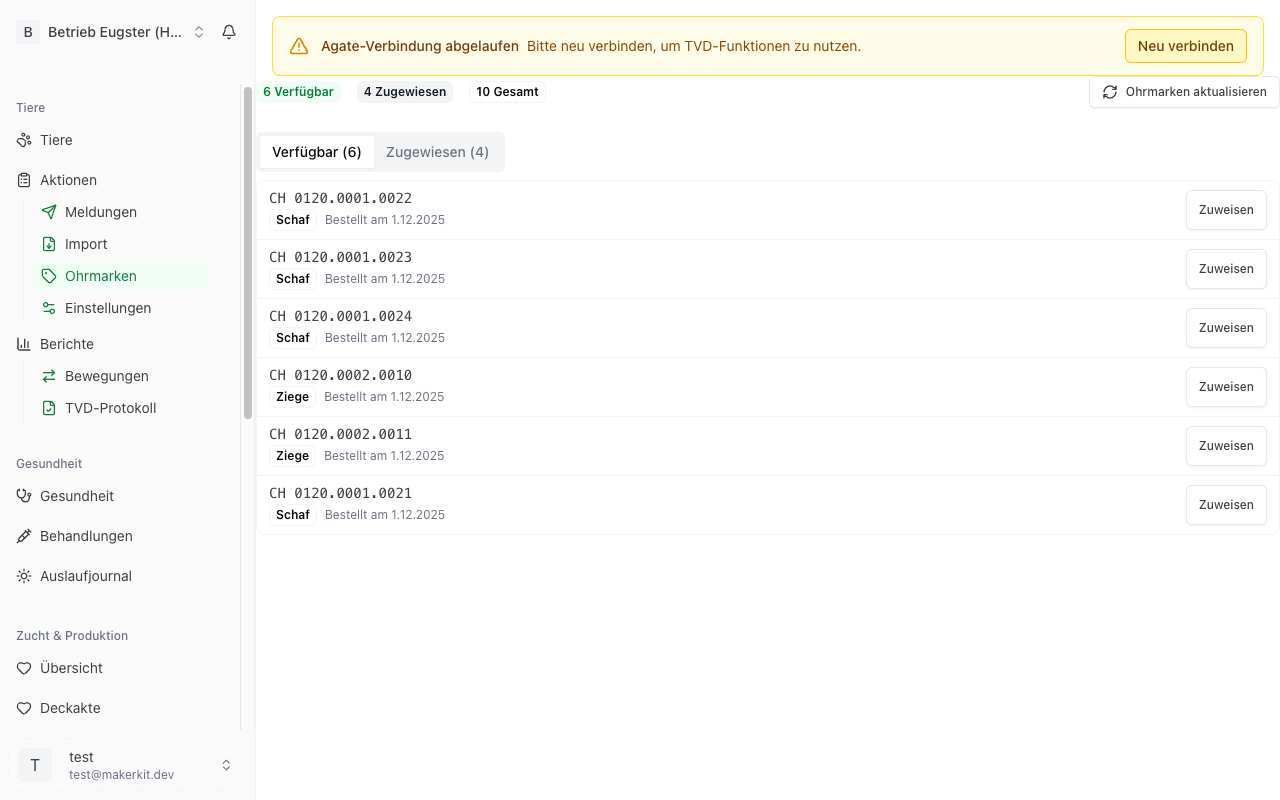
Viewing your ear tag inventory
The overview page shows you three key figures:
- Available — Ear tags assigned to your farm but not yet assigned to an animal. These can be used for newborns or new animals.
- Assigned — Ear tags already assigned to an animal in your herd.
- Total — The total number of all ear tags assigned to your farm.
Below this you see a list of all ear tags with their status, species, and — if assigned — the associated animal.
Synchronising ear tags from the TVD
To ensure Herdy always knows the current state of your ear tag inventory, you can reconcile the data with the TVD.
Requirement
You must have stored your agate.ch credentials in Herdy (see TVD Settings & Credentials).
How to synchronise
- Navigate to TVD > Ear Tags.
- Click Update Ear Tags.
- Herdy connects to agate.ch and loads your current ear tag inventory.
- New ear tags are added automatically. Existing tags are reconciled.
Tip: Run the synchronisation after ordering new ear tags via agate.ch. This makes the new tags immediately available in Herdy.
Assigning an ear tag to an animal
When you register a new animal or want to assign a different ear tag to an animal, proceed as follows:
- Open the animal profile of the animal concerned.
- In the Ear Tag section, click Assign Ear Tag (or Change Ear Tag if one is already assigned).
- Select an available ear tag from the list.
- Confirm the assignment.
The ear tag changes status from "Available" to "Assigned" and is now linked to the animal.
Releasing an ear tag
If an ear tag was assigned incorrectly or an animal has left the inventory, you can release the tag again.
- Navigate to TVD > Ear Tags.
- Find the ear tag in the list.
- Click the ear tag to open the details.
- Click Release Ear Tag.
- Confirm the release.
The ear tag reverts to "Available" status and can be assigned to another animal.
Tip: Check your ear tag inventory regularly, especially before the lambing season. This ensures you have enough available tags for expected newborns. New ear tags can be reordered directly via agate.ch.
Frequently asked questions
Can I order ear tags in Herdy? No, ordering continues to run through agate.ch. However, Herdy always shows you how many available tags you have left.
What happens if I assign the same ear tag twice? Herdy prevents this. Each ear tag can only be assigned to one animal at a time.
Are used ear tags (from departed animals) released automatically? When you report an animal as departed, deceased, or slaughtered, the ear tag remains historically assigned to that animal. Ear tags are single-use identifiers and are not reused after use.