Overview
The Audit Export bundles what a feed inspection wants to see: what was bought in, what was fed to which group and when, and whether the two quantities fit together.
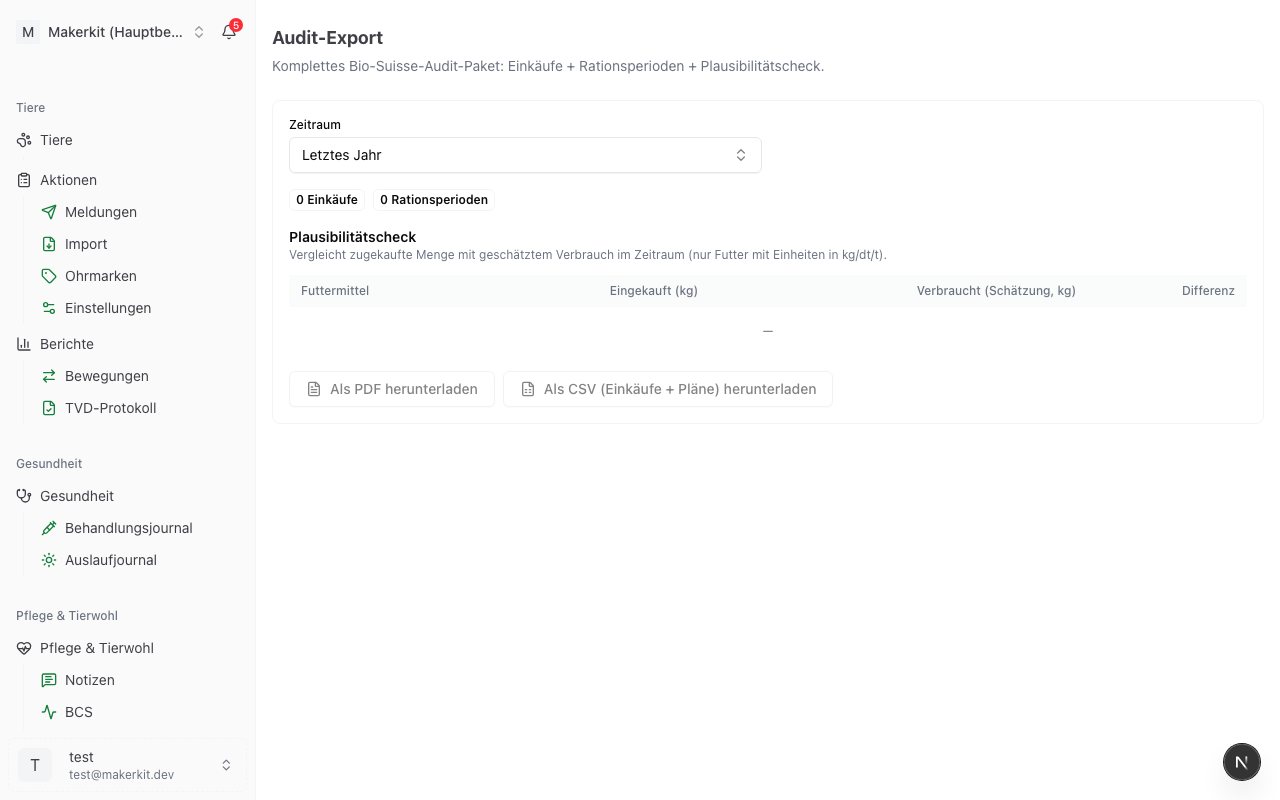
You find it under Feeding > Audit Export.
Creating the export
- Go to Feeding > Audit Export
- Choose the Period: Last year, This year, Last 12 months, Last 3 years or Custom period with From and To
- Check the counters and the table on the page
- Tap Download as PDF or Download as CSV (purchases + plans)
Last year is preset, the period an inspection usually checks. If there are neither purchases nor ration periods for the chosen period, the two buttons stay greyed out.
What the page shows
Below the period selection, two counters show how many Purchases and how many Ration periods fall within the period. A ration period counts as soon as it overlaps with the period, even if it started earlier or is still running.
Underneath sits the Plausibility check as a table with four columns:
| Column | Meaning |
|---|---|
| Feed | every feed that was purchased in the period or used in a plan |
| Purchased (kg) | sum of the purchases, converted into kilograms |
| Consumed (estimate, kg) | daily quantity times days in the period, with the basis "Per animal" additionally times the number of animals in the group |
| Difference | purchased minus consumed |
A positive difference means that more was purchased than fed by calculation; the quantity is therefore in store. A negative difference means that more was fed than was purchased within the period; this happens regularly when there was stock at the beginning of the period or when the feed comes from your own production.
Note: The comparison only covers feeds with the units kg, dt and t. Feed in units, Big-Bag or litres does not appear in the calculation. Herdy does not know the opening stock, which is why the difference is an indication and not a balance sheet.
The two formats
The PDF carries the title "Feeding Audit Export", is laid out in landscape and contains three sections:
- Feed Purchases with date, supplier, feed, batch, quantity, certification and whether a receipt is on file
- Ration Periods per Group with group, period, feed, daily quantity and basis
- Purchases vs. Consumption (Estimate) as a comparison
The footer states that the delivery notes are filed separately in the purchase journal. Where a batch or a receipt is missing, it says "missing".
CSV
The CSV file contains purchases and ration periods in one file, distinguished by the first column Block with the values "Purchase" and "Plan". The separator is the semicolon, and the file is encoded so that Excel opens it without further steps and shows the special characters correctly.
Before the inspection
- On the feeding overview check whether the Receipts missing warning is shown, and add the missing delivery notes
- In the purchase journal watch out for the Batch missing badges
- Create the audit export for the period under review as a PDF and go through it: are the quantities, certifications and suppliers correct?
- Be able to explain conspicuous differences in the plausibility check, for example by stock from the previous year or your own roughage
- Print the PDF or take it with you. The attached delivery notes stay in Herdy and can be shown to the inspection directly on a tablet or laptop.
Tip: The export can be created again at any time. If you attach a forgotten delivery note afterwards, simply generate the export once more.
Where the file ends up
The export is generated in your browser at the moment you click and downloaded straight away. Herdy does not keep a copy. The downloaded file is yours; delivery notes and images stay in Herdy, the export only refers to them.