Overview
A recording session, called a session in the app, is the fast way to do serial work. Instead of filling in a form for every animal, you set the shared details once and then work through animal by animal.
Every entry is saved immediately. There is nothing to submit, and an interruption costs you at most the current animal.
Which sessions exist
- Treatment: you start it via Actions > Start session.
- Hoof check: you start it in the foot-rot programme under Health, because there the check belongs to a campaign, see Footrot.
The Start session card also mentions weight, health event and tail length. At the moment the button always starts a treatment session. For weighings and tail lengths, use batch recording in the breeding module in the meantime, see Recording Weights.
Setting a session up
- Open Actions and tap the Start session card.
- Under Configure template it reads «Define the shared fields. Only the animal changes per entry.» Fill in:
- Medication from your medication stock
- Administration route, for example oral or subcutaneous. Herdy suggests the route stored on the medication.
- Diagnosis
- Quantity and Unit, from ml, mg, g and tablets
- Prescribing veterinarian. Herdy remembers the last name you used for the next session.
- Treatment date, prefilled with today
- Tap Start session.
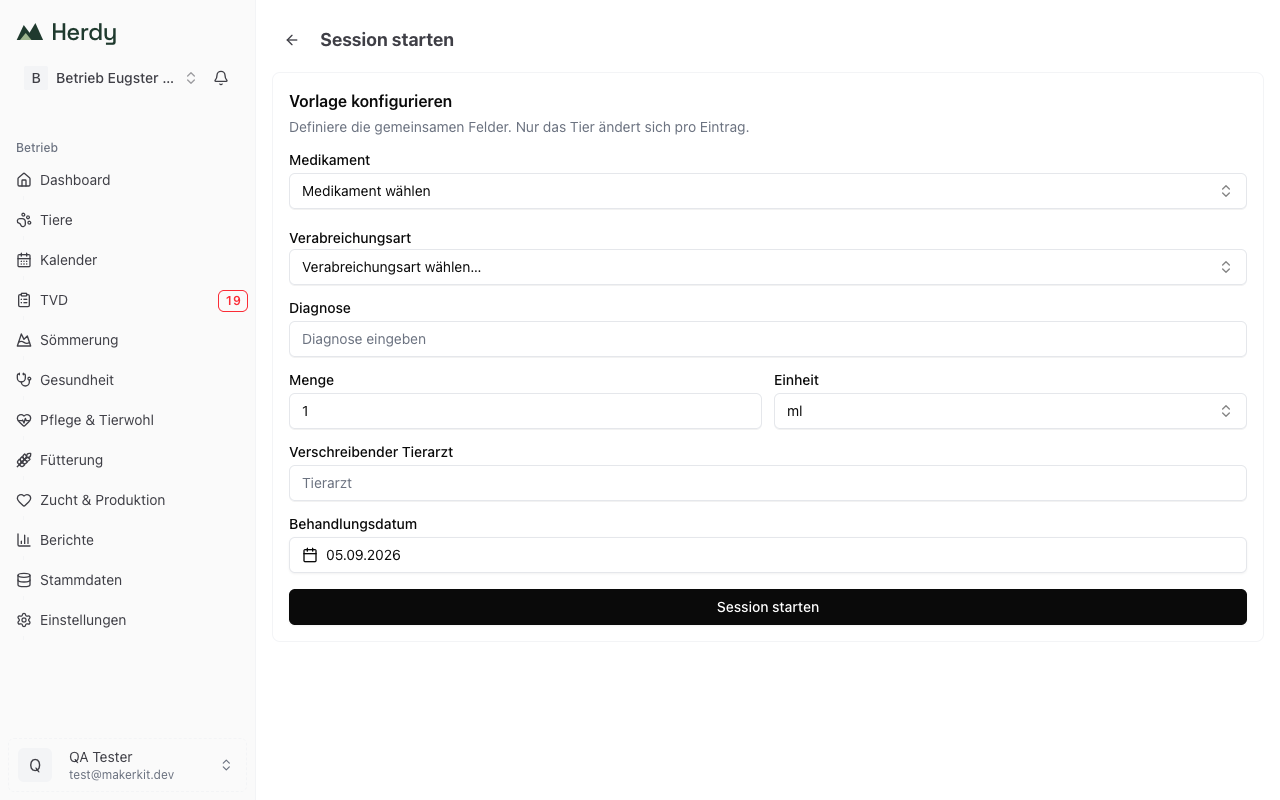
Medication, diagnosis and date are mandatory. If one is missing, the button does nothing.
Recording animals
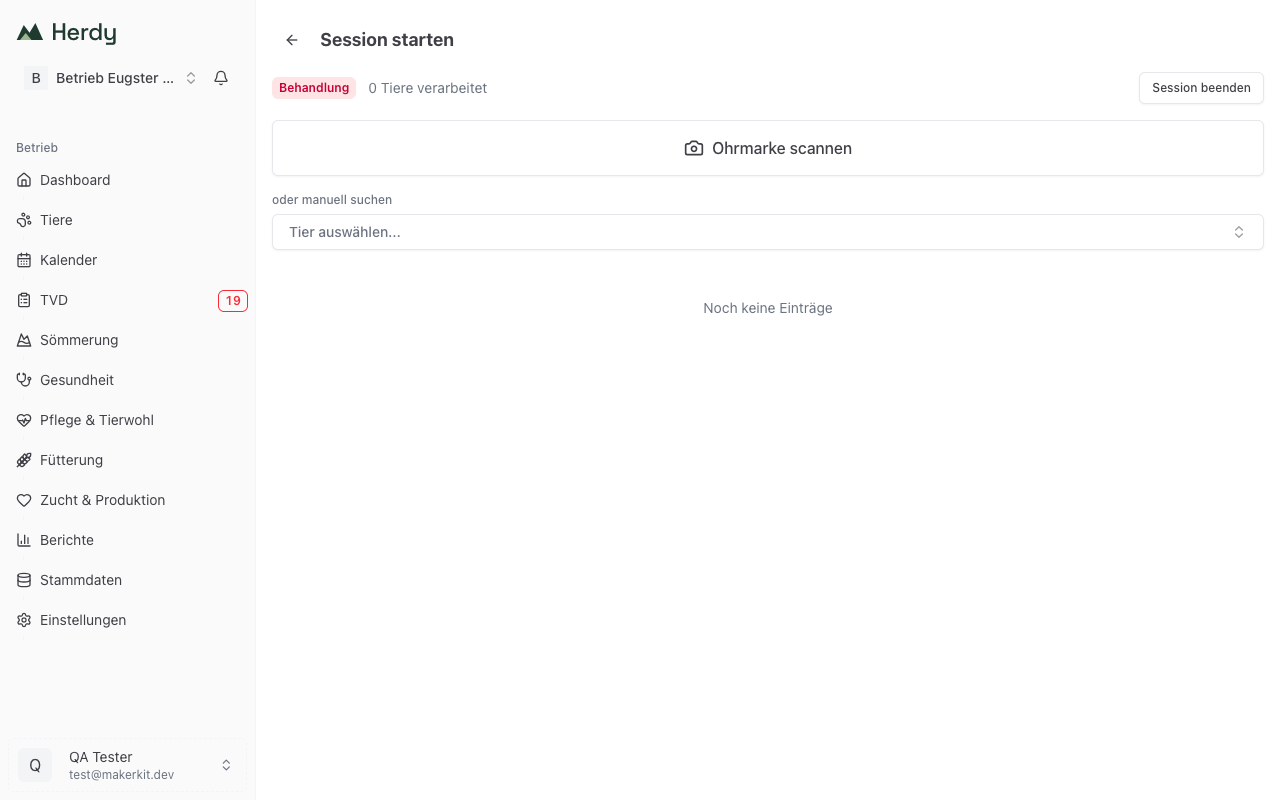
At the top you see a coloured badge with the type of session, next to it N animals processed and on the right the End session button.
For every animal you have two routes:
- Scan ear tag: the large button opens the camera. An electronic reader works without this button, simply scan.
- or search manually: the selector below searches your herd by ear tag or name.
Once the animal is settled, Herdy saves the treatment entry immediately and briefly reports «<animal> processed». You can scan the next animal straight away.
In sessions that need a value per animal, such as weight, tail length or hoof score, an input field and a Save button appear first.
Below the input area the list of recorded animals grows, with name, time and the green Saved badge. If something went wrong it reads Error saving.
Undoing an entry
The most recent saved entry carries an Undo last entry button. It stays clearly visible for ten seconds, then fades but keeps working.
What happens depends on the type of session:
- For a treatment the entry is voided. Herdy reports «Entry voided» with the note «The row stays in the journal for traceability and the stock has been credited back.» This is intended: the treatment journal must remain traceable, so the row does not disappear, it is marked as voided. The quantity used is credited back to the medication stock.
- For weight and tail length the value is deleted.
- For the hoof check undo is not available. Herdy reports «Undo is not supported for this type».
Ending the session
- Tap End session.
- Under Session summary it reads «N entries saved successfully.» followed by each animal with time and status.
- On an entry with Error saving, tap Retry.
- A saved entry can still be removed here with the bin icon.
- Close session takes you back.
All entries are already saved at this point. There is no step you could forget.
Where the entries end up
Recorded treatments appear in the treatment journal under Health, see Recording Treatments. Each entry also shows up in the Movement History and in the history of the animal concerned.
Withdrawal periods are taken from the medication and run from the treatment date, separately for every animal in the session.
A worming day in practice
You have to worm 40 sheep.
- Actions > Start session
- Template: medication «Ivomec Drench», route oral, diagnosis «Routine worming», quantity 5 ml, enter the vet, today's date
- Start session
- Animal by animal: scan the ear tag, wait for the green Saved badge, next animal
- After the last animal: End session, check the summary, Close session
Instead of 40 forms you fill in one.
Tip: with an electronic reader you no longer tap anything in a session. Scanning is enough, the animal is recognised and the entry is saved. See Reader for Electronic Ear Tags.