Overview
Every head of cattle, every sheep and every goat in Switzerland must wear an official ear tag. You order the tags through agate.ch, where they are allocated to your holding. Herdy fetches that stock from the TVD so that at lambing time you know straight away which numbers you still have.
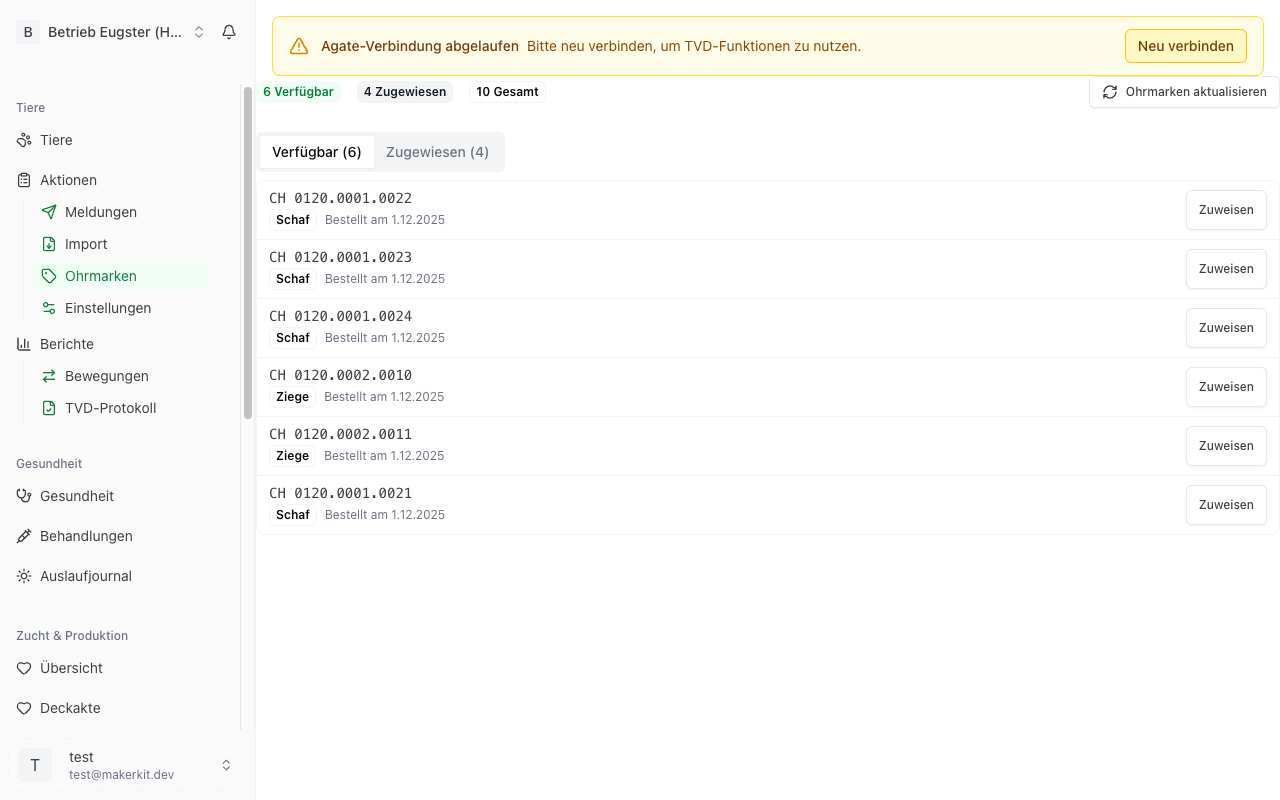
The page is under TVD > Ear tags.
You see the same data under Master data > Ear tags, where you can additionally record tags by hand. Everything about that is under Ear tags in master data.
The figures
Four numbers are shown at the top:
- Available: Allocated to your holding and not yet assigned to an animal. You can use these numbers for newborns.
- Assigned: Reserved in Herdy for a particular animal, for example a newborn lamb.
- Used: The number is already worn by an animal in your herd. These tags stay listed so the ordered number range remains visible without gaps.
- Total: All tags together.
Below that the list splits into the tabs Available, Assigned and Used. Per tag you see the number, the species and the order date, and for assigned ones the animal as well.
Refreshing the stock from the TVD
Requirement: a valid Agate session and a linked holding, see Setting up the TVD connection. Without it the page shows No TVD credentials stored and a button to the settings.
- Go to TVD > Ear tags.
- Click Refresh ear tags.
- Herdy fetches your holding's orders from the TVD and adds new numbers. Existing assignments are kept.
The ear tag stock is also carried along with every full synchronisation.
Tip: Refresh the stock after ordering tags on agate.ch. The new numbers are then available in Herdy.
Where the figures come from
Herdy queries the TVD for the ear tag orders of roughly the last five years and derives the number ranges from them. That is why tags that have long been on an animal appear as well. This is exactly what the «Used» figure is for: the ordered range stays visible without gaps.
For cattle the list of tags the TVD reports as «in the keeper's stock» is added.
If the TVD reports no authorisation for a genus, Herdy simply lists no tags for that genus.
Digits per species
The length of the number tells you the species:
| Species | Digits | Example on the tag |
|---|---|---|
| Goat | 7 | 1234567 |
| Sheep | 8 | 12345678 |
| Cattle | 12 | 120.1919.9981.4 |
For goats you may type the seven digits from the tag. Herdy adds the leading zero internally and removes it again when sending to the TVD.
Assigning and releasing tags
- Assign: On the Available tab click Assign next to a tag and pick the animal. Herdy then offers to create the birth notification right away.
- Release: On the Assigned tab click Release. The tag moves back to «Available».
A tag can only ever be assigned to one animal.
Common questions
Can I order ear tags in Herdy? No. Ordering runs through agate.ch. Herdy shows the stock and tells you how many tags are still free.
Why do I see tags I used up long ago? Because the stock is derived from the orders. These tags appear under «Used» and can no longer be assigned.
Do tags of departed animals become free again? No. Ear tags are single-use identifiers. They stay linked to the animal historically and are not reused.
Tip: Check the stock before the lambing season. That way you notice in time whether you need to reorder.