Overview
The vaccine catalogue holds every vaccine you use on your farm. Each entry has a name, optionally a default dose and notes. When you later record a vaccination, you pick the vaccine from this catalogue and the default dose comes along.
You reach the catalogue under Master Data > Vaccines. Workers, family members and vets only see this area with access to the «Health» module.
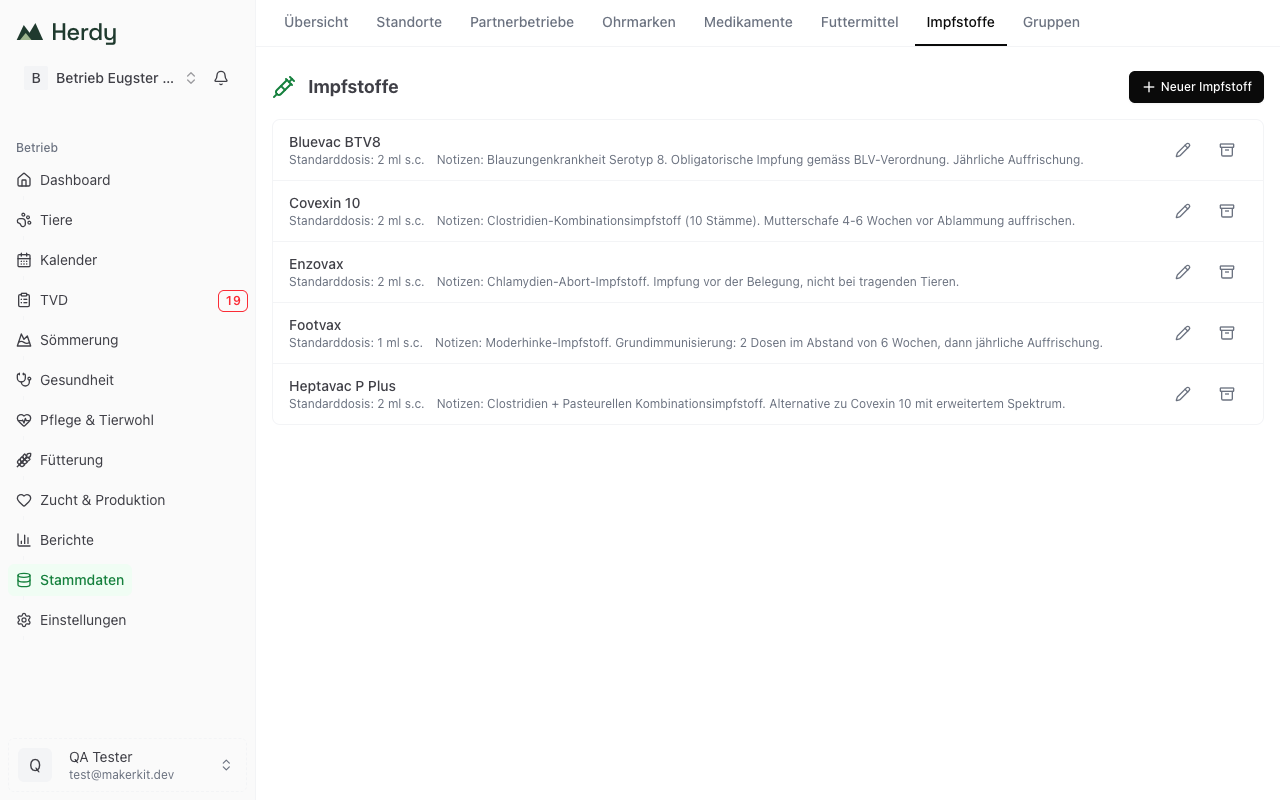
Adding a new vaccine
- Go to Master Data > Vaccines.
- Tap New Vaccine.
- Fill in the dialog:
- Name: the name from the packaging, for example «Covexin 10», «Heptavac P Plus» or «Footvax».
- Default Dose (optional): for example «2 ml subcutaneous». The value is suggested when recording a vaccination.
- Notes (optional): for example booster interval, storage or application notes.
- Tap New Vaccine to save.
If a vaccine with that name already exists, Herdy rejects the entry. That keeps duplicates out.
Tip: Write the name exactly as it appears on the packaging. You will then find it immediately when recording a vaccination.
Editing a vaccine
- Tap the pencil icon next to the vaccine in the list.
- Change Name, Default Dose or Notes.
- Tap Save.
Changes only affect future vaccinations. Vaccinations already recorded keep the values that applied when they were entered.
Archiving a vaccine
If you no longer use a vaccine:
- Tap the archive icon in the list.
- Confirm the dialog «Archive vaccine?».
Archived vaccines are no longer suggested for new vaccinations but are retained in existing entries.
The list
The overview shows every active vaccine with name, default dose and notes, sorted alphabetically. Archived entries are hidden.
Difference from medications
Vaccines and medications are kept apart because they are treated differently:
- Medications carry withdrawal periods, an organic classification and a stock level. They appear on the official inventory list and are deducted when used in a treatment. See Medications.
- Vaccines have neither withdrawal periods nor a stock level in Herdy. They exist for recording vaccinations.
How to document a vaccination is described under Vaccinations.
Tip: Enter the two or three vaccines you use regularly right at the start. At the next vaccination round, recording it is then a selection rather than an entry.