During the season the alp operation and the consignor work together in two places: Pastures & groups records where the animals are, Events resolves what happens to them.
Pastures & groups
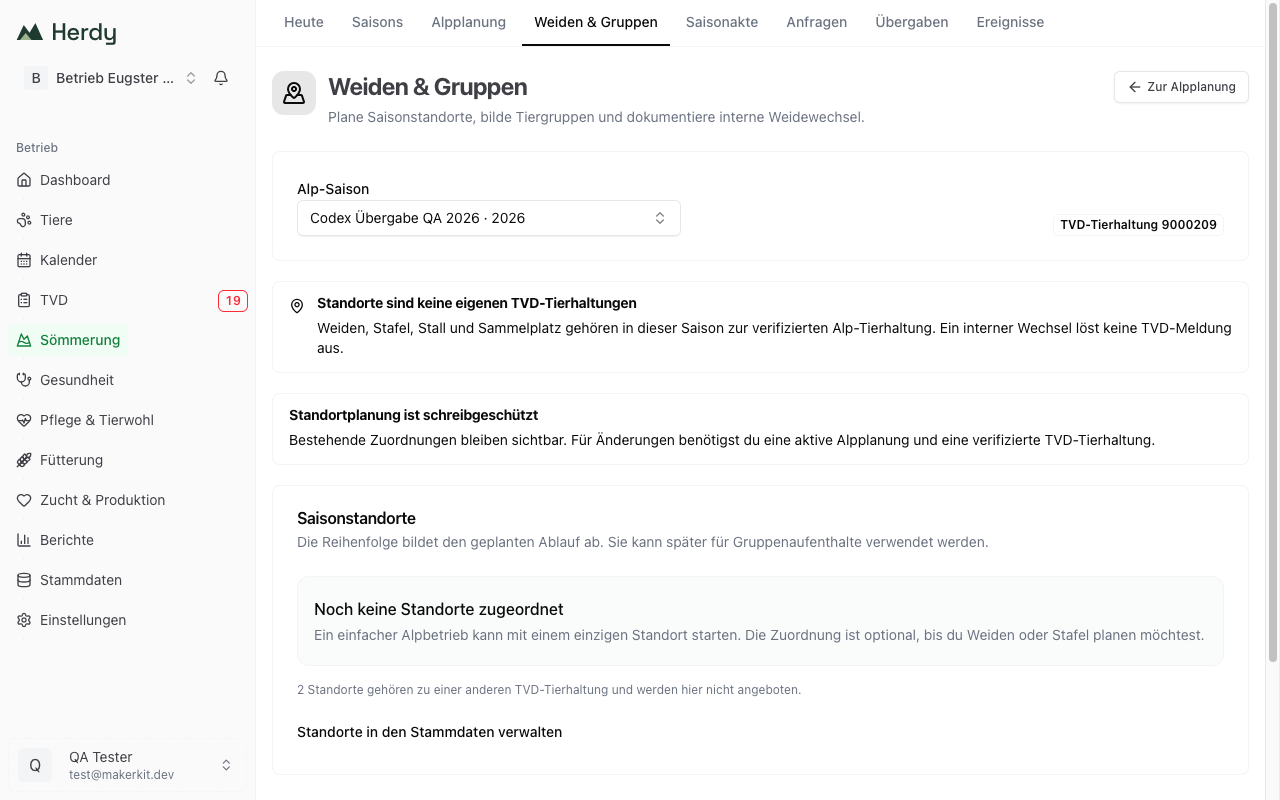
Season sites
A season site is a pasture, a stage, a stable or an assembly point within your alp. You assign it to a season and state from and until when it is active. The order reflects the planned sequence.
Sites are not separate TVD holdings. All sites of a season belong to the verified alp holding. An internal move triggers no TVD notification.
The assignment is optional: a simple alp operation can start with a single site or skip it entirely. The sites themselves are managed in the master data. Sites belonging to a different TVD holding are not offered here, and Herdy says so.
Animal groups
Once the season has started, you group the animals that actually arrived into working groups, for example «dairy cows high alp».
- Under New animal group choose a group name, a starting site and the time valid from.
- Under Select animals assign the animals from confirmed consignments. The search covers ear tag, consignor and group.
- With Move group you record every pasture change. The site history remains traceable for the whole season.
An animal from another group is cleanly reassigned as of the chosen time. Here too: a simple alp operation does not have to keep groups. Only create what makes your daily work easier.
Animal groups require at least one saved season site.
Animal events
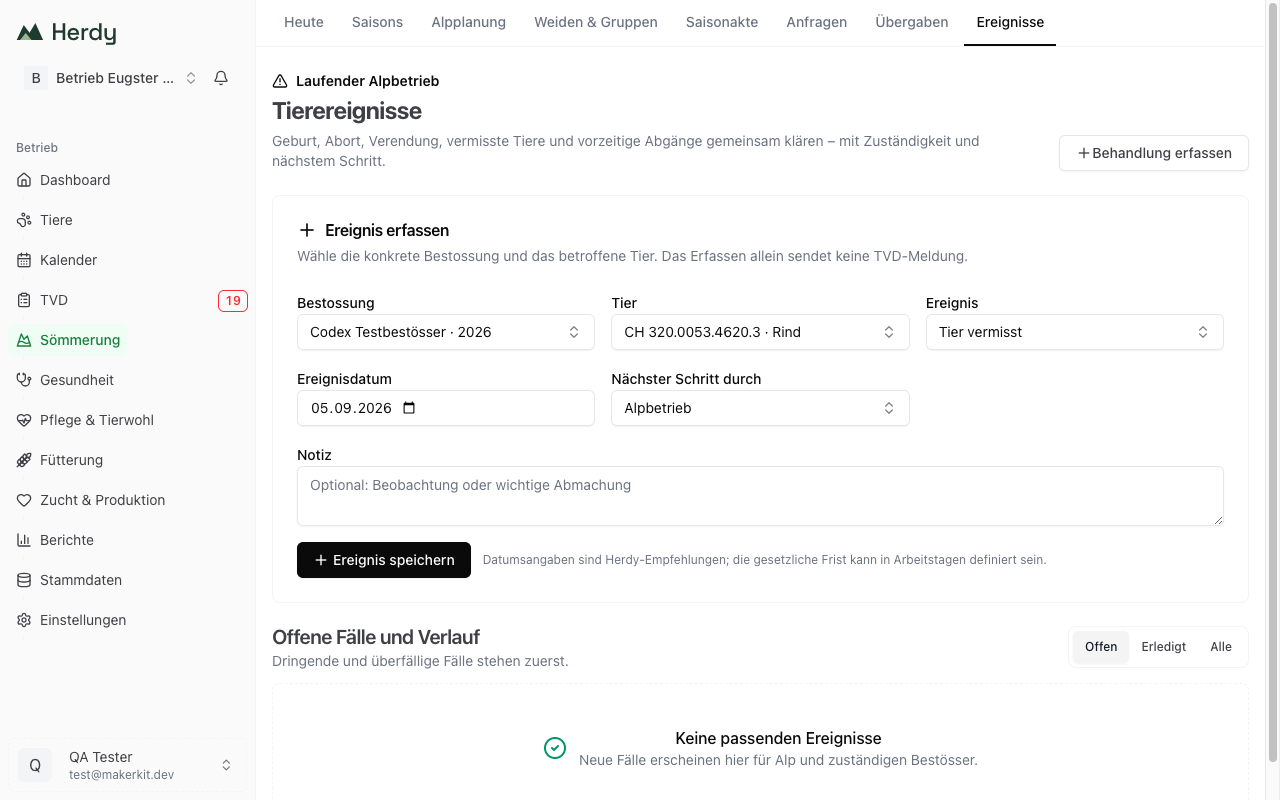
The Events workspace is the common place for everything that happens during summering: birth on the alp, abortion, death, animal missing and early departure.
Record an event
- Choose Consignment and Animal.
- Set Event and Event date. The date must lie inside the alp season and must not be in the future.
- Under Next step by record who continues: Alp operation or Consignor.
- Optionally add a note and save.
Recording alone sends no TVD notification. Herdy records the case and shows who is next.
For a birth you also confirm that the chosen animal is the mother and state the number of offspring. A TVD birth notification is not sent at this point.
For an abortion Herdy points out explicitly that every abortion during summering must be examined by a veterinarian. Isolate the animal and secure examination material as instructed.
Resolve cases
The list Open cases and history puts urgent and overdue cases first; the filters Open, Resolved and All switch the view. Once a case is settled, choose the matching resolution under How was the case resolved?: reported in TVD, veterinarian contacted, animal found, departure and transport resolved, resolved outside Herdy, or not applicable. A wrong entry can be taken back with Correct incorrect entry.
The dates in this list are Herdy recommendations. The statutory deadline may be defined in working days.
Treatments
If an animal is treated on the alp, record it via Record treatment in the treatment journal. The responsible consignor sees the necessary extract including the withdrawal period with their request. See Record treatments.