Overview
You are standing in the barn in front of a group of animals and want to know: are these all mine? Are they properly recorded in the TVD? Is anything still open? That is what TVD > Lookup is for.
The lookup is pure inspection. Nothing is reported, nothing changed, nothing stored.
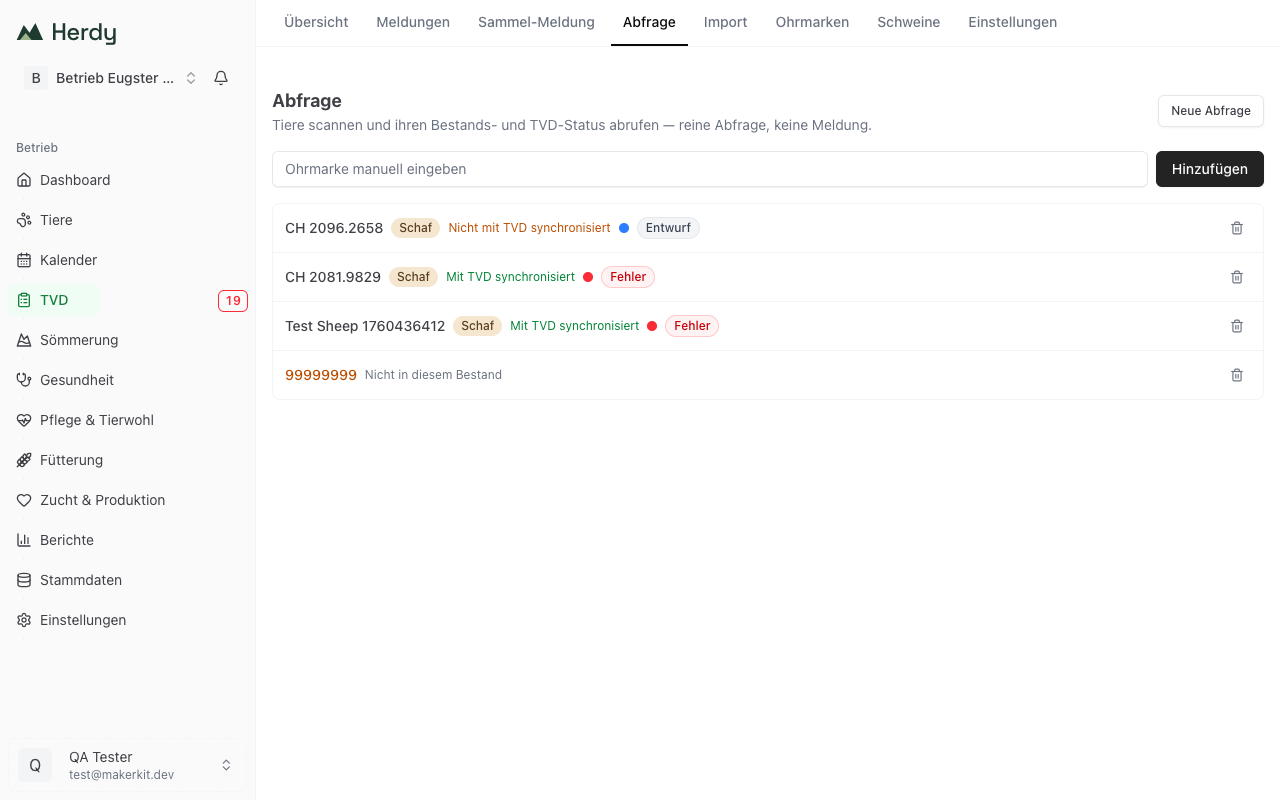
How to look animals up
- Go to TVD > Lookup.
- Scan the animals with a connected ear tag reader. Every tag read appears immediately as a new row.
- Without a reader, type the number into the Enter ear tag manually field and click Add.
- Remove a row with the bin icon on the right.
- New lookup clears the list so you can start over.
Goat ear tags may be entered with the seven digits printed on the tag. Herdy adds the leading zero itself.
What the rows mean
Per animal you see its name or ear tag, the species and the synchronisation state:
| Display | Meaning |
|---|---|
| Synchronised with TVD | The animal is in Herdy and has been matched against the TVD. |
| Not synchronised with TVD | The animal is in Herdy but has never been part of a synchronisation. Usually an animal you recorded yourself and have not reported yet. |
| Not recorded in TVD | The TVD does not know this animal on your holding. |
| Not in this herd | There is no animal with this ear tag on your holding. It may be a foreign animal or a purchase you have not recorded yet. |
| Invalid ear tag | The string read is not a valid ear tag number, typically a misread by the scanner. |
If the animal has an open TVD notification, Herdy adds its status as well, for example Draft or Error, with a coloured dot for urgency. So while walking the herd you see straight away where something is pending.
What the lookup is good for
- Checking an incoming delivery: on a purchase, quickly see which of the animals delivered already belong to you and which still need reporting.
- Before an inspection: scan the herd and find open or failed notifications before someone else does.
- Spotting foreign animals: an animal that is not in your herd stands out immediately.
Note: The lookup shows the state Herdy knows. How current that is appears under TVD > Settings in the synchronisation status. To be sure, run a synchronisation first.