This guide is for the home farm sending animals to an alp. You record the ascent once, and Herdy creates the departure notifications for all animals from it.
File the ascent in Herdy, not in the Agate portal. If you file the departure directly in the portal, Herdy will not recognise it as summering. The animals then count as departed and disappear from herd, breeding and health views for the summer. The TVD does not distinguish summering from a sale, so Herdy cannot guess. Create the season here and your herd stays visible.
Requirements
- The «Summer pasture» module is enabled for your farm.
- The Agate connection is active, otherwise the notifications stay in the queue.
- The animals are recorded as active in Herdy. Animals already on a running season cannot be selected a second time.
Footrot status
Only holdings with the status «free» may move animals to an alpine holding.
If your farm is blocked, alpine grazing is not possible: the alpine subsidies are forfeited, and the quarantine does not count as force majeure under Art. 106 DZV. The cantonal veterinarian may grant an exception.
If the status is not tested, you need the status «free» before the animals go up. Have the examination done early enough in the period so that a positive result still leaves time for remediation. Your own status and the control programme are described under Footrot.
How to create a season
Open Summer pasture, switch to Seasons and click New season.
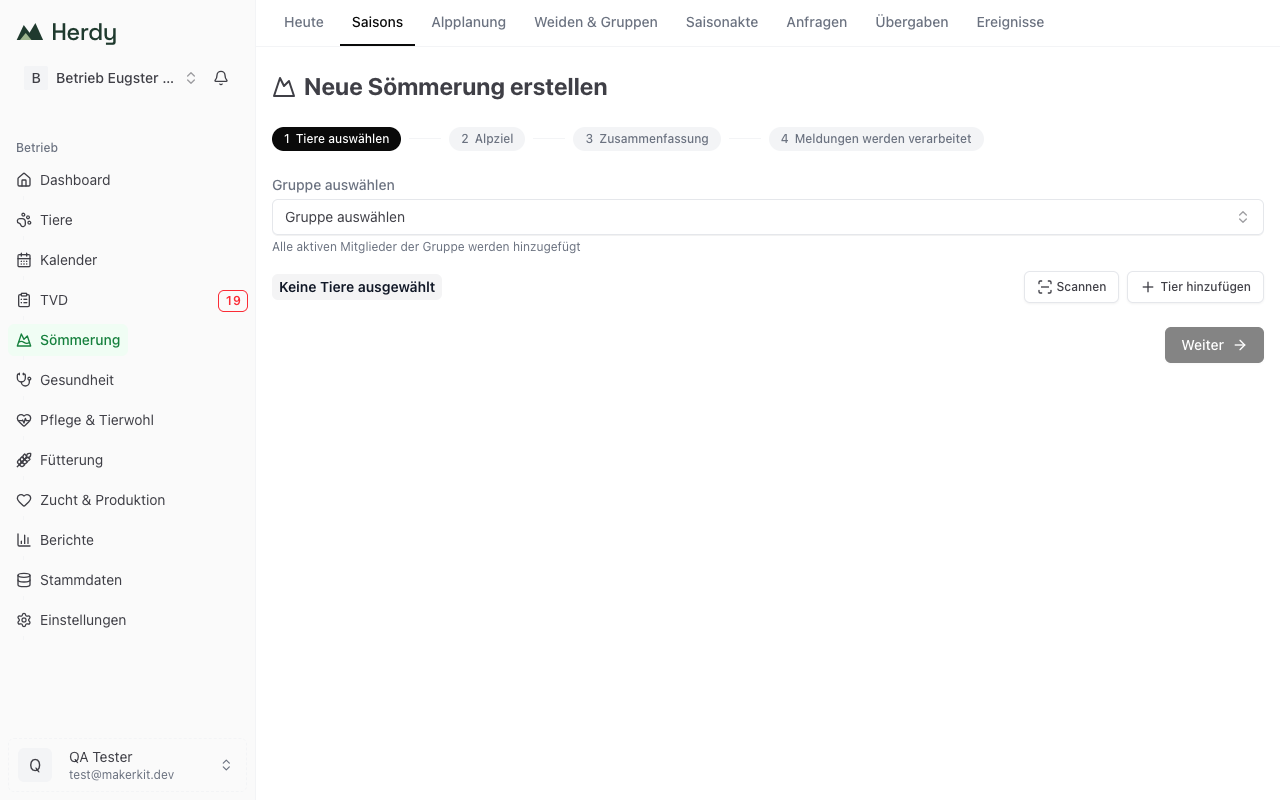
Select animals. You have three ways: pick a saved group (all active members are taken over), search individual animals via Add animal, or read in the ear tags with Scan. Active sheep, goats and cattle with a Swiss ear tag are available.
Set the alp destination. Pick a saved location or enter Alp name and Alp TVD number anew. Set the Alp ascent date and, if possible, the Expected return date. Optionally record Alpmeister (name/phone) and Notes.
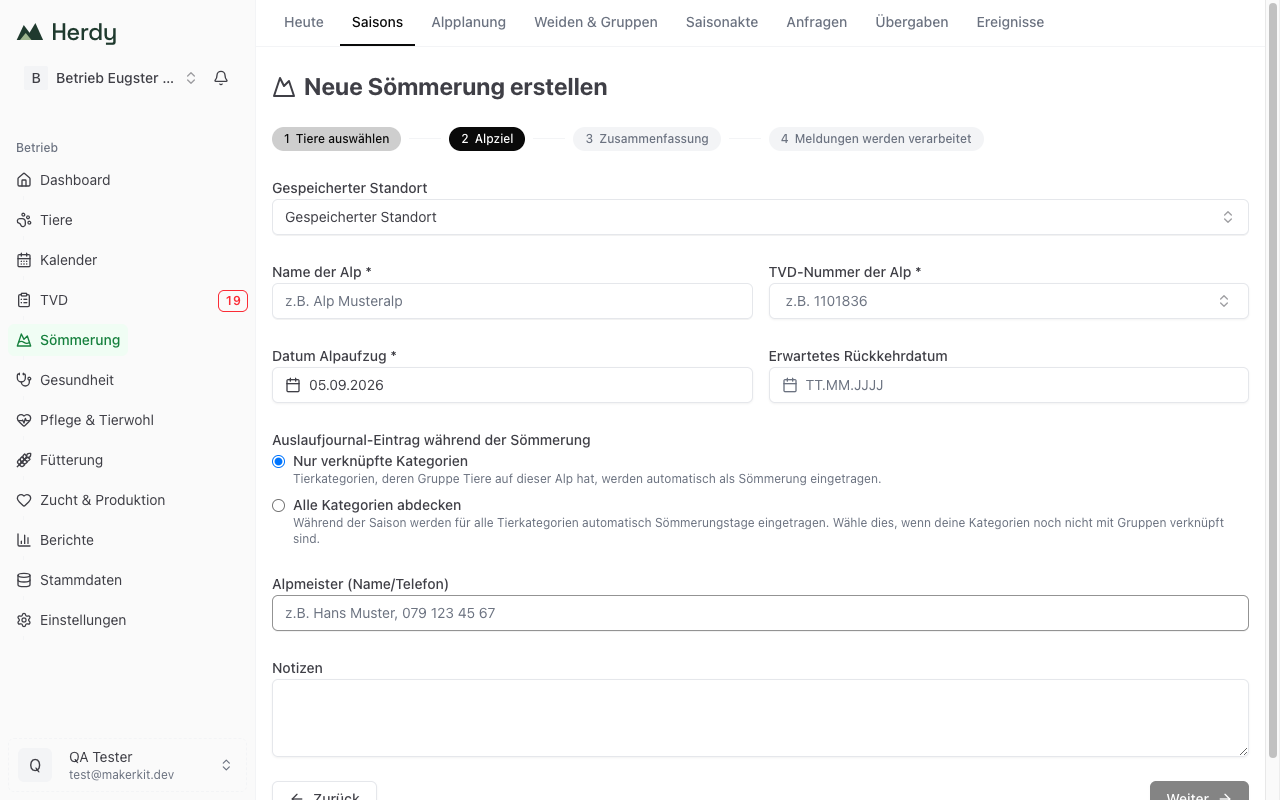
Choose the Exercise log entry during this season:
- Only linked categories: Herdy enters summering days for those animal categories whose group has animals on this alp.
- Cover all categories: Herdy enters summering days for all animal categories. Choose this if your categories are not yet linked to groups.
Check the Summary. Herdy shows a preview with the expected normal stocking units and the estimated alpine grazing payment, plus a list of details still missing. This preview triggers no TVD notification.
Click Start season. Herdy creates a departure notification with the reason «summering» for every animal and submits it to the TVD.
Leave the browser open until processing finishes. The notifications are sent one after another while the page is open. If you abort, individual notifications stay open. You can finish them later on the season page with Continue submission.
The alp is remembered automatically
The alp operation is stored as a partner farm. Next time you pick it from the list instead of typing the TVD number again. See Partner farms.
Repeat a season
If you go to the same alp every year, use Repeat season on the Seasons page. It appears once an earlier season is completed and no season is currently running.
Herdy takes the animals and details of the last season as a template and shows a review before the start:
- Retained, Newly added and Not carried over, including the breakdown of which animals are no longer available and which you deselected yourself.
- The new season dates compared with the template.
- Which details from the template changed (destination, contact, notes).
You must confirm that you have checked animals, destination and season dates. Only then does Herdy enable Confirm and start, create the season and the notifications.
When a notification does not go through
Herdy distinguishes two cases and names them as such:
- Submission pending: the notification could not be sent for technical reasons, for example because the Agate connection expired. Herdy retries automatically.
- Rejected by TVD: the TVD rejected the notification on its content. These notifications are not retried automatically. You find the reason per animal and in the notification log.