Overview
Locations are the places where you keep your animals. Each location has a name, a type and optionally a TVD number. Herdy uses locations when you register animals, for TVD notifications and for alpine summering.
You reach them under Master Data > Locations. Workers and family members only see this area with access to the «Animals» module.
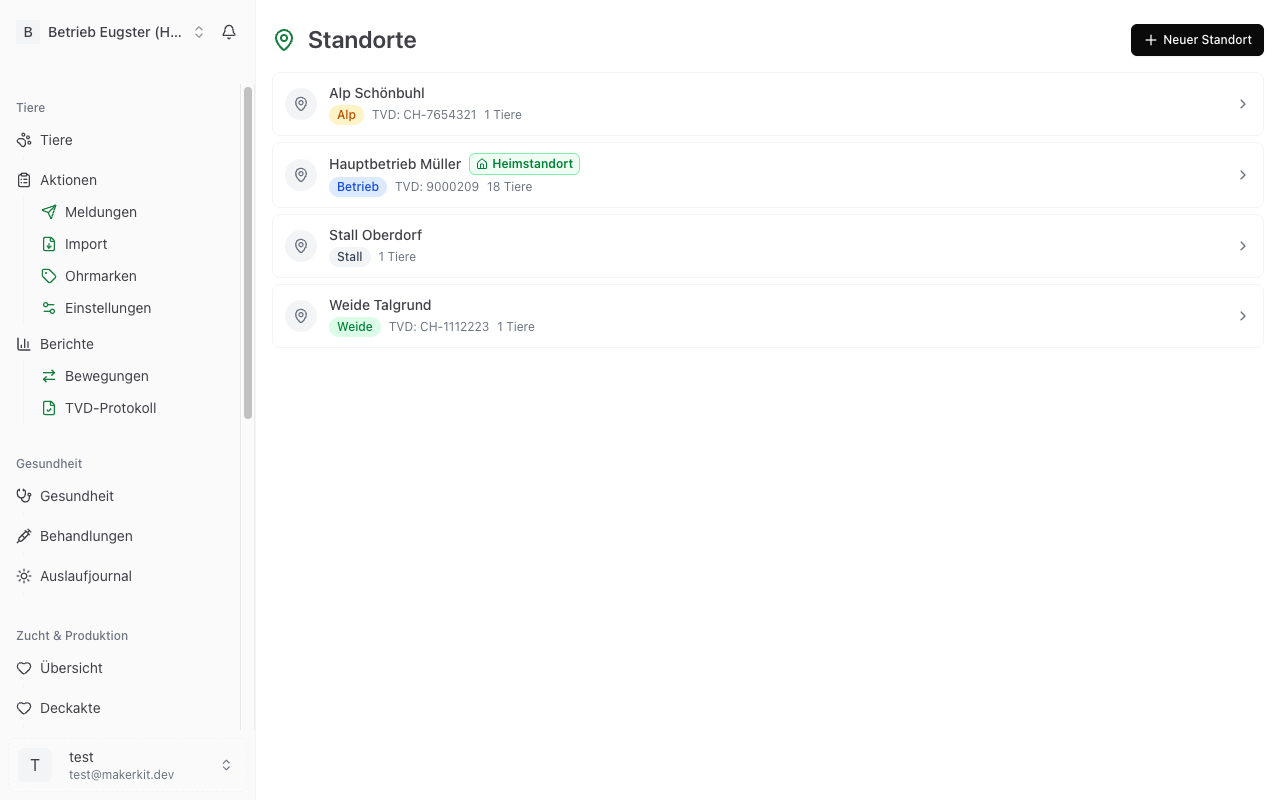
Location types
Herdy knows four types. The type decides where a location can later be selected.
Farm
Your main site, the farmstead itself. Usually exactly one farm is also the home location.
Pasture
An outdoor area. Pastures, together with alps, are offered as the destination of a summering season.
Alp
The seasonal site for summering. For the alp entry and alp exit notifications, TVD needs the number of the alp holding.
Barn
An enclosed site on the farm, for example a lambing barn, a shearing barn or a quarantine barn.
Creating a new location
- Go to Master Data > Locations.
- Tap New Location.
- Fill in the details:
- Name: something you recognise, for example «Upper Pasture» or «Alp Schönbuhl».
- TVD Number (optional): the official number of the site in the livestock traffic database.
- Type: Farm, Pasture, Alp or Barn.
- Address (optional).
- Notes (optional).
- Home Location: the switch makes this location the default for new animals.
- Tap New Location to save.
Entering the TVD number correctly
The TVD number of a location has seven digits, for example 1101836. The last digit is the check digit and belongs to the number, even though your paperwork often prints it separately («110183.6»).
You may type the number exactly as it is printed. Herdy removes dots, spaces and a leading «CH-» itself. If seven digits do not remain afterwards, the form says: «The TVD number must have 7 digits, e.g. 1101836 (the trailing check digit is part of it).»
Not every location needs a number. A single barn on the farm does without one, while your main holding and an alp site usually each have their own.
Important: Once Herdy has synchronised animals with TVD for the first time, the TVD number of that location is locked and can no longer be changed. The field then appears greyed out with the note «The TVD number is locked after the first TVD sync and can no longer be changed.» The reason is that every notification already sent carries that number as its sender. If the number is wrong, write to info@herdy.ch.
Setting the home location
The Home Location is the default site of your farm. It is preselected when you register a new animal, so you do not have to pick a location every time.
Turn on the Home Location switch when creating or editing a location. Only one location can be the home location at a time. Setting a new one resets the previous one. In the list, the home location carries a green badge.
Editing a location
- Go to Master Data > Locations.
- Tap the location you want to change.
- Tap Edit Location.
- Adjust the fields and save with Edit Location.
Archiving a location
If you no longer use a location, for example because you gave up a pasture:
- Open the location.
- Tap Archive.
- Confirm the dialog «Archive location?».
Archived locations no longer appear in selection lists but are retained in historical data, so it stays traceable where an animal used to be. Locations are never deleted.
Animals at a location
The detail page lists every animal at that site under the heading «animals at this location», with ear tag, name and breed. Tapping a row opens the animal.
You change the location of a single animal in its animal profile, not here.
Locations in summering
When creating a summering season, you pick the destination from your locations of type Alp or Pasture. So enter the alp as a location first, ideally with its TVD number. What happens next is described under Alpine Summering.
Why locations matter
- TVD compliance: notifications need correct site data. For alp entry and alp exit, the TVD number of the alp is mandatory.
- Traceability: in a disease outbreak the authorities must be able to tell quickly which animals are where.
- Overview: the list shows how many animals are at each site.
Tip: Enter the home location and the alp before you start adding animals. Herdy will then suggest the right location from the very first animal.