Under Settings → General you set what your farm is called, what Herdy shows you, and how it calculates.
Prerequisite: you are the Owner of the farm or a Family member allowed to manage settings. Only the farm owner may change the farm address.
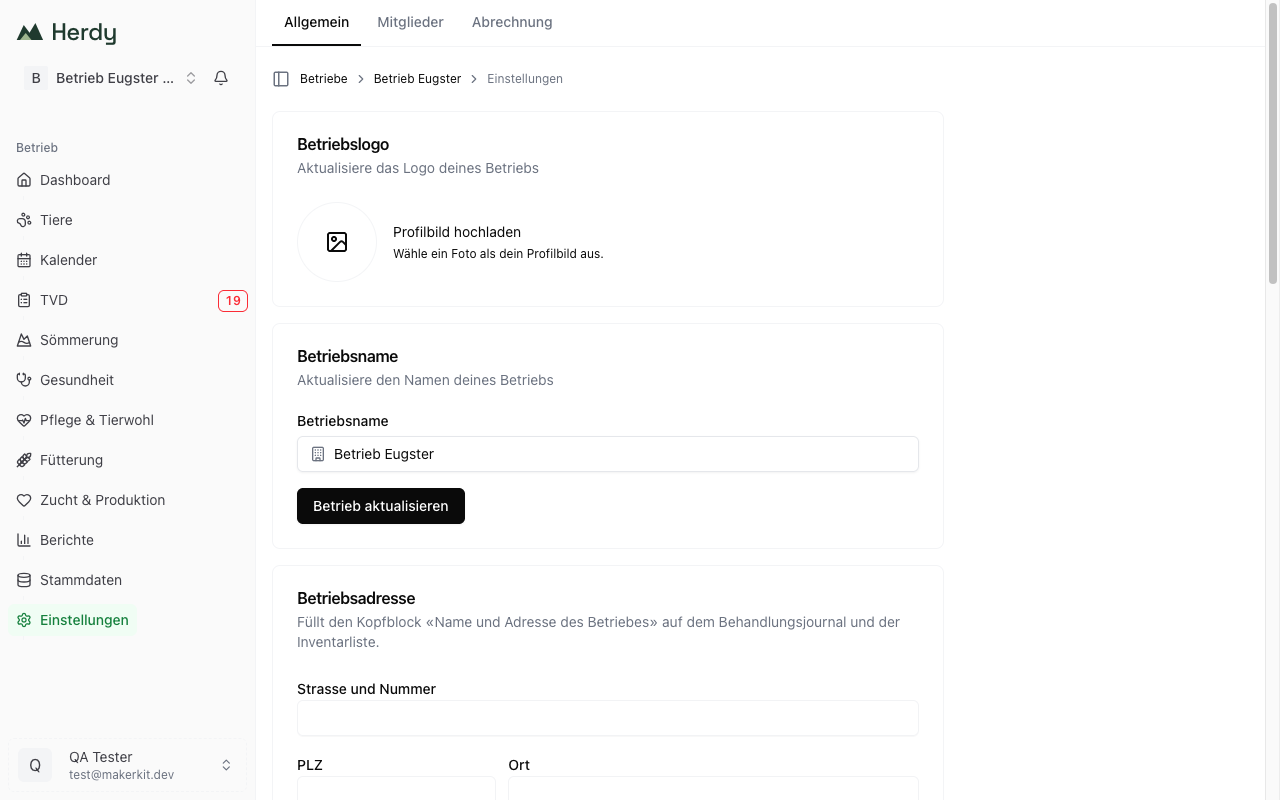
Farm logo and farm name
At the top you upload a farm logo and change the farm name. The name appears in the farm switcher, in the breadcrumb and on your exports.
Farm address
Street and number, postcode and town. These details fill the «Name and address of the farm» header block on the treatment journal and the inventory list, exactly where inspectors expect them.
If you are not the farm owner you can see the fields but not change them.
Farm profile
The farm profile controls what Herdy shows you. It does not affect your price.
Species
Deselect the species you do not keep among Sheep, Goat, Cattle and Pig. Herdy then narrows forms, pickers and species-specific pages accordingly. While nothing is selected, Herdy shows all species.
A species with animals in your herd always stays active. It is then listed with the note Active via herd.
Modules
Here you hide modules your farm does not need: Health, Care, Feeding, Breeding, Reports and Summering.
- Hidden modules disappear from the navigation, from the quick actions and from the dashboard cards.
- Data already recorded is kept, and the pages stay reachable via a direct link.
- On a phone, hidden modules sit on the More page under Hidden modules and can be brought back there with Show.
Animals, Calendar, TVD, Master Data and Settings cannot be hidden. For the TVD that is deliberate: the reporting deadlines are a legal requirement, and a hidden module would be a compliance risk.
Farm organic status
The organic status decides whether Herdy doubles the withdrawal periods for chemically synthetic allopathic medicines, as required by the Bio-Verordnung Art. 16d para. 8.
The options are:
- Not an organic farm
- Organic (federal Bio-Verordnung)
- Knospe (Bio Suisse)
- Knospe conversion
Herdy asks for confirmation when you switch. The new rule applies immediately to new treatments. Existing treatments stay unchanged, a journal is not rewritten after the fact. After the switch, review the organic classification of your medications in the master data.
Records you must keep
As soon as your farm has recorded treatments or medication purchases, a card with two exports appears:
- Export journal: the treatment journal
- Export inventory: the medication inventory list
Both produce the official form (AGRIDEA/BLV) that inspectors accept.
Important: You must keep the treatment journal and the inventory list for three years under TAMV Art. 29. Deleting the farm removes them for good. Export them beforehand.
Danger zone
At the very bottom sit the actions that cannot be undone:
- Delete farm (owner only): deletes the farm with all animals, notifications, treatments and records. You confirm by typing the farm name.
- Leave farm (all other members): you lose access and have to be invited again.
What is not here
- Members and roles: the Members tab, see Team and roles
- Plan, capacity, invoices and cancellation: the Billing tab, see Pricing & subscription
- Agate connection and TVD holding: the TVD → Settings module, see TVD settings
- Locations, medications, vaccines, feed and groups: the Master Data module, see Master Data
- Language and notifications: your personal Profile, see Create account & sign in