There are three ways to put an animal into a group: from the group, from the animal profile, or for several animals at once from the animal list. All three lead to the same result, so pick the one that fits your task.
From the group
The best route when you want to fill a group:
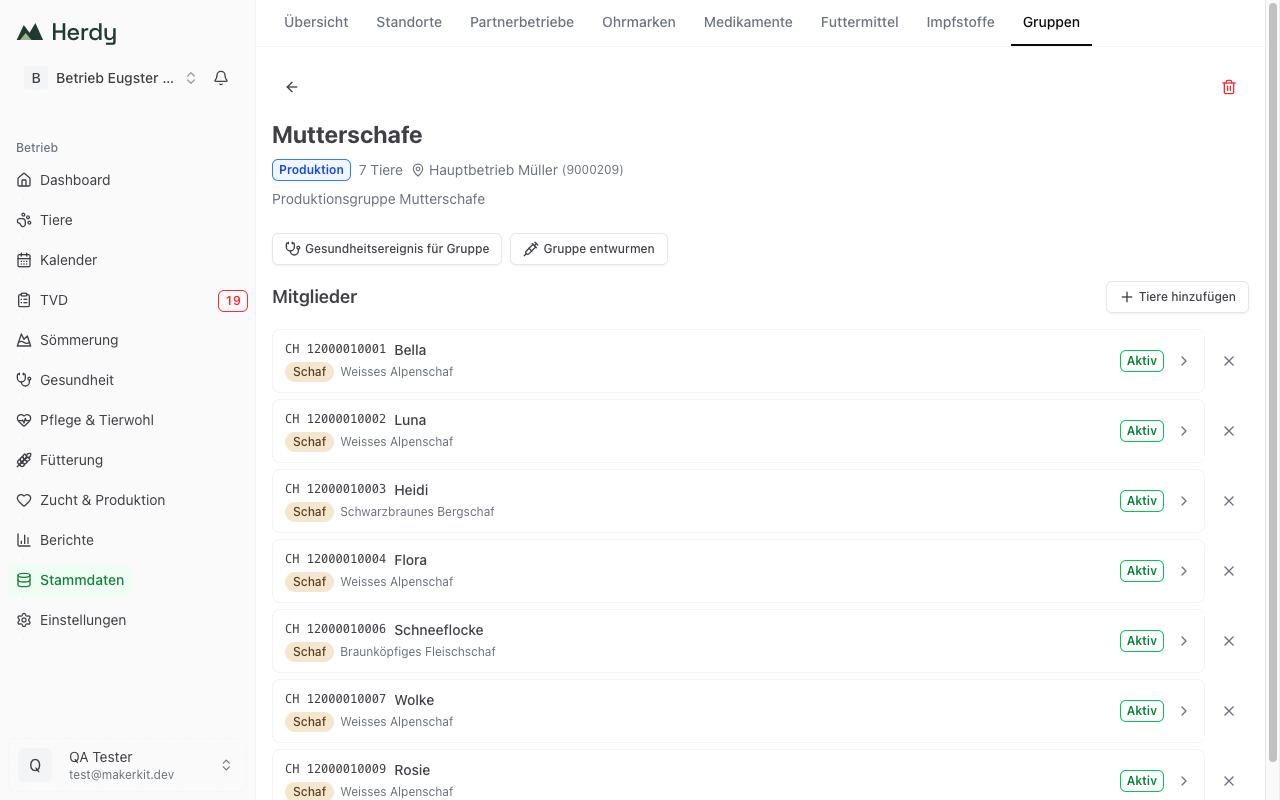
- Open Master Data > Groups and tap the group you want.
- Tap Add animals.
- A picker appears. Animals already in the group are not listed.
- Use the search field to look up an ear tag or name.
- Tap the animals you want.
- Confirm with Add animals (count).
The picker contains active and summered animals. Departed, deceased and slaughtered animals can no longer be assigned to a group.
From the animal profile
The best route when you are already looking at a single animal:
- Open the animal profile.
- Switch to the Groups tab.
- Tap Add to group.
- Choose one or more groups from the list; a search field helps you find them.
- Confirm with Assign (count).
On the Groups tab, Current groups lists every membership with the date it started, and Group history shows the past ones.
Tip: An animal can be in as many groups as you like. A ewe can be in the breeding group, in a pasture group and in a production group at the same time.
Several animals at once (bulk assignment)
The best route when you want to assign many animals together:
- Open the animal list via Animals.
- Narrow the list first with search and filters, for example to all sheep of one breed.
- Tap Select.
- Tap the animals you want. The count appears above, for example "5 selected".
- All selects every animal currently visible in one step, None clears the selection.
- Tap Assign group at the bottom, choose the target group and confirm with Assign (count).
Cancel leaves selection mode without changing anything.
Important: All always means the animals currently on screen, not the whole herd. So filter first and select afterwards.
Next to Assign group the same bar offers Treatment. It records a treatment for every selected animal in one pass, see Treatments.
Acting on a whole group
If you tapped a group in the group view of the animal list, a bar appears above the list with the group name and the number of matches. The Treatment button in that bar hands the whole displayed group to the bulk treatment, without you tapping each animal. If you also filtered by species or status, exactly that selection is handed over.
Removing animals from a group
From the group
- Open the group under Master Data > Groups.
- Find the animal in the member list.
- Tap the cross at the right-hand end of the row.
From the animal profile
- Open the animal profile.
- Switch to the Groups tab.
- Remove the membership under Current groups.
What Herdy records in the background
Every assignment and every removal appears on the animal's History tab:
- Group joined: when an animal is assigned to a group
- Group left: when an animal is removed from a group
So it is always traceable which animal was in which group and when. You do not have to record anything for this.
Tip: This history is particularly useful for follow-up questions. If you want to know which animals were on the alp in summer 2026, you can see it in the individual animal's history.