The season record summarises what was recorded in Herdy for one alp season. It is the alp operation's workplace for closing the season.
The season record replaces no official decision, no original accompanying document and no official inspection.
What the record contains
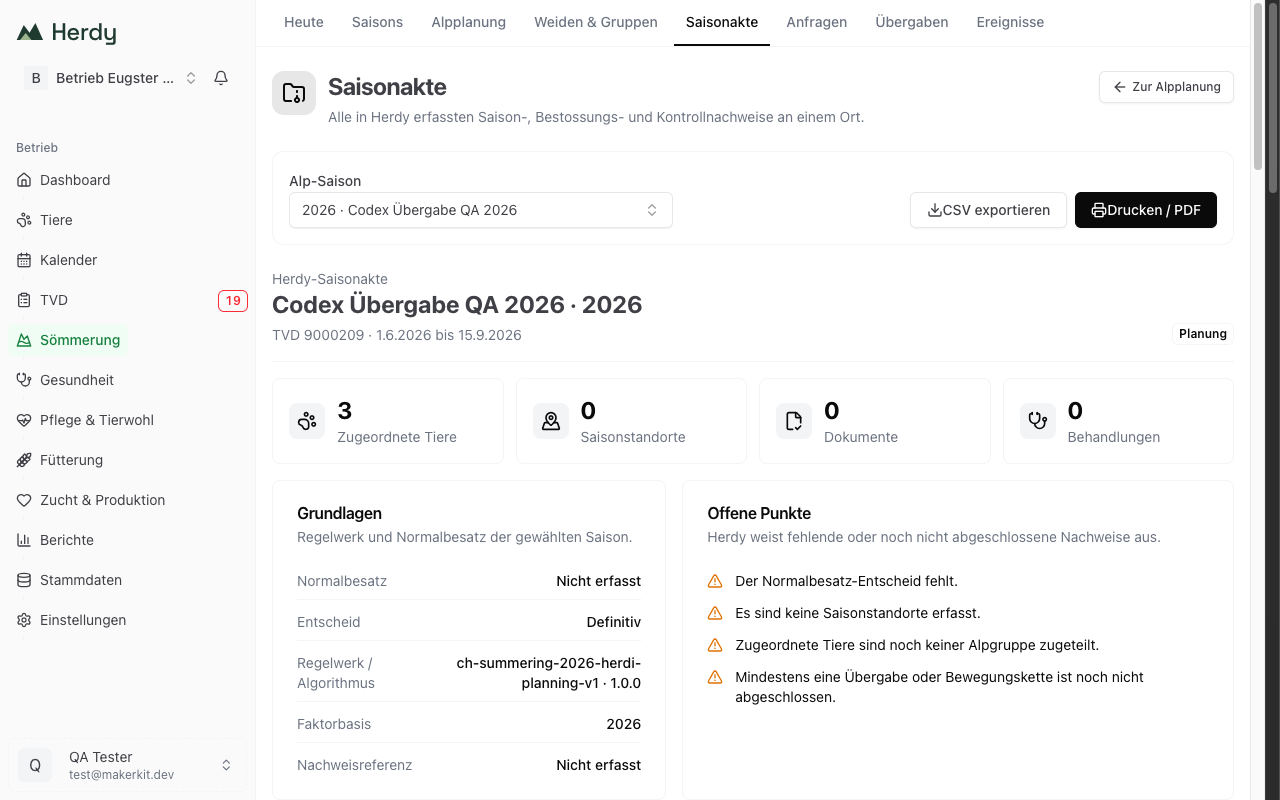
At the top are the alp, the season year, the TVD number, the period and the state Planning, Open or Closed, plus the key figures Assigned animals, Season sites, Documents and Treatments.
Basis shows the season's normal stocking, the state of the decision (definitive or provisional), the rule set used and the evidence reference.
Open items names what is still missing, for example a missing normal stocking decision, missing season sites, animals not yet assigned to a group, incomplete handovers, open animal events or grazing fee drafts without a reply.
Consignments lists per consignor the state, the animals, the documents, the TVD notifications and the grazing fee status.
With Export CSV and Print / PDF you take the record with you.
Reconcile stays and NST
Herdy calculates the actual stocking from the physically confirmed alp arrivals and departures of every animal and shows complete animal stays, chargeable animal days and the actual NST. While stays are incomplete, the value is shown as Incomplete or as a range.
Under External comparison you record the official or external final value from AniCalc or from the canton. Herdy shows the difference to its own calculation and classifies it: within the Herdy range, check the deviation, or complete the stays.
Herdy uses the same calculation core as the grazing fee settlement and counts at most 180 days per animal. AniCalc, the cantonal decision and the official settlement remain authoritative.
Grazing fee settlement
You agree the price per consignor:
- Base amount CHF as a fixed amount
- Variable settlement per animal and season, per animal and day, or per NST, with the matching rate CHF
- Optionally an internal note about the agreement
From this Herdy calculates a draft based on the physically confirmed alpine stays. If a stay is not yet fully confirmed, Herdy says so and marks the amount as not yet definitive.
With Share with consignor the draft goes to the consignor. They accept it or raise a question; the status then reads Awaiting reply, Accepted or Disputed. Every further version is shared as a new revision. To share, the consignor must first have claimed the request with their Herdy farm.
With Settlement draft as CSV you export the current state.
Close the season
Close the operational season once every animal has arrived and has a documented final status. The card Close the season shows the state as Ready or Not ready yet and lists what must be done first:
- Confirm or cancel planned consignments
- Resolve missing or excess animals in the animal lists
- Review the category or usage of individual animals
- Complete accompanying documents for all confirmed consignments
- Confirm the physical arrival of every animal on the alp
- Complete a return, death, missing case or early departure for every animal
- Resolve open animal events
On closing, animal lists, consignments, sites and groups are frozen. Open TVD notifications and grazing fee drafts not yet accepted remain editable.
Summering subsidy application
The record helps to prepare and document the cantonal application state. You record the cantonal deadline, the source or note from the canton, confirm the applicant and the review of area and management changes, and keep the external workflow state (Draft, Ready, Submitted, Confirmed) and the submission or confirmation reference.
Herdy prepares and documents. The submission still happens with the canton.
Exceptions and evidence
For force majeure and large predator cases you keep a separate file:
- Choose the case type: force majeure, or large predator and early alp descent.
- Record cause, short title, event date and known since.
- State whether and how far an alp descent is affected, which animals and which site.
- Describe the facts and enter evidence references, for example a photo in the document archive or a kill report.
- Add the responsible authority and the reporting or file reference, and keep the workflow state until the decision arrives.
Herdy only calculates the documented ten-day deadline for force majeure and reports the deadline as Open, Due soon or Overdue. Herdy reports nothing to an authority automatically. Large predator proceedings, entitlement and decision remain cantonal and case-specific.