If several people work on your farm, invite them to Herdy. Everyone sees the same animals and data, but each person only the areas their role provides for.
Prerequisite: you are the Owner or a Family member of the farm. You find the page under Settings → Members.
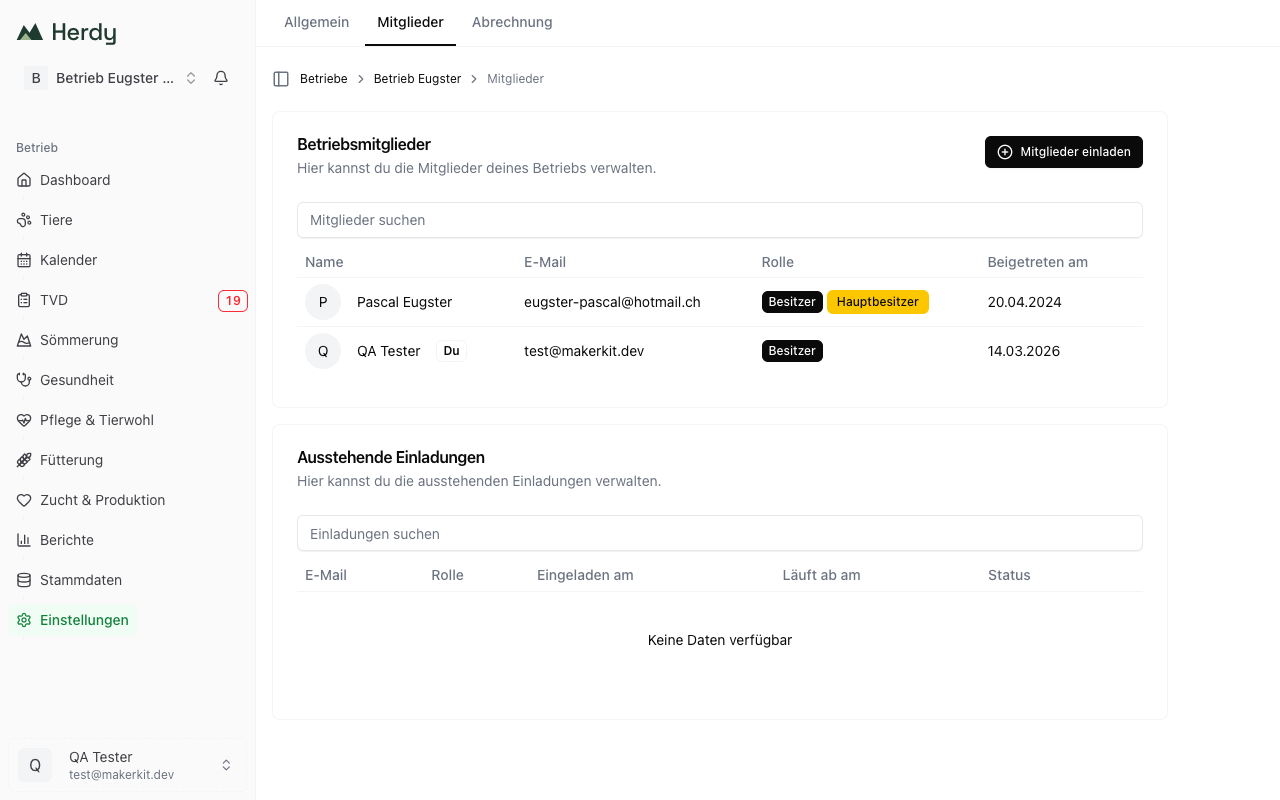
The four roles
| Role | Intended for | Access |
|---|---|---|
| Owner | farm management | Everything, plus billing, roles, farm settings and deletion |
| Family | family members who work along | Freely configurable per module, and may invite members |
| Worker | employees doing daily tasks | Read animals; read and write health, breeding and care |
| Vet | the farm vet | Read animals; read and write health; read care |
Billing is visible to the owner only.
Inviting a person
- Open Settings → Members.
- Click Invite members.
- Enter the email address and pick the role.
- Add another person lets you invite several people at once.
- Click Send Invites.
The invited person receives an email with a link. If they have no Herdy account yet, they create it while accepting the invitation.
The Pending Invitations table shows when the invitation was sent and when it expires. There you can Resend Invitation, Update Invitation or Delete Invitation.
Tip: The same email address can only have one open invitation at a time. If the invitation does not arrive, the invited person should check their spam folder first.
Setting a family member's access
The Family role is the only access you steer per module. Until you do, a family member has full access to the listed modules.
- In the member list open the menu next to the family member.
- Choose Configure permissions.
- Set the access level per module:
- No access: the module disappears from that person's navigation
- Read only: view and export, change nothing
- Read and write: full access to the module
- Save.
Configurable are: Animals, Health, Breeding, TVD, Reports, Groups and Care & welfare.
Important: Anyone without access to TVD cannot create or send notifications. On a farm where several people report, give at least one stand-in write access to the TVD module, so the statutory deadline of three working days is met while you are away.
Changing a role or removing a member
Through the menu in the member row:
- Change Role: pick the new role and confirm. The new role must differ from the current one.
- Remove from Account: the person immediately loses access to the farm. The entries they already recorded stay.
Handing the farm over
The owner can hand the farm to another member (Transfer Ownership). That person then has the Owner role, and you lose your owner rights including billing. Herdy asks for an explicit confirmation.
Leaving a farm
Anyone who is not the owner finds Leave farm in the danger zone under Settings → General. Afterwards the access is gone and you have to be invited again.
Who recorded what?
Herdy records who entered a treatment, a birth or a notification. That matters for inspections: the treatment journal has to be traceable, no matter who made the entry.