Overview
When you buy or sell a whole group, or have to report several deaths after a storm, one notification per animal would be tedious. Under TVD > Batch notification you do it in a single run.
Requirements: a valid Agate session and a linked TVD holding, see Setting up the TVD connection.
Sheep and goats only. Cattle and pigs are not possible here. For cattle file individually under Notifications, for pigs use the pig arrival notification.
The ascent to and descent from the alp have their own workflow with season and records, see Alpine summering.
Creating a batch notification
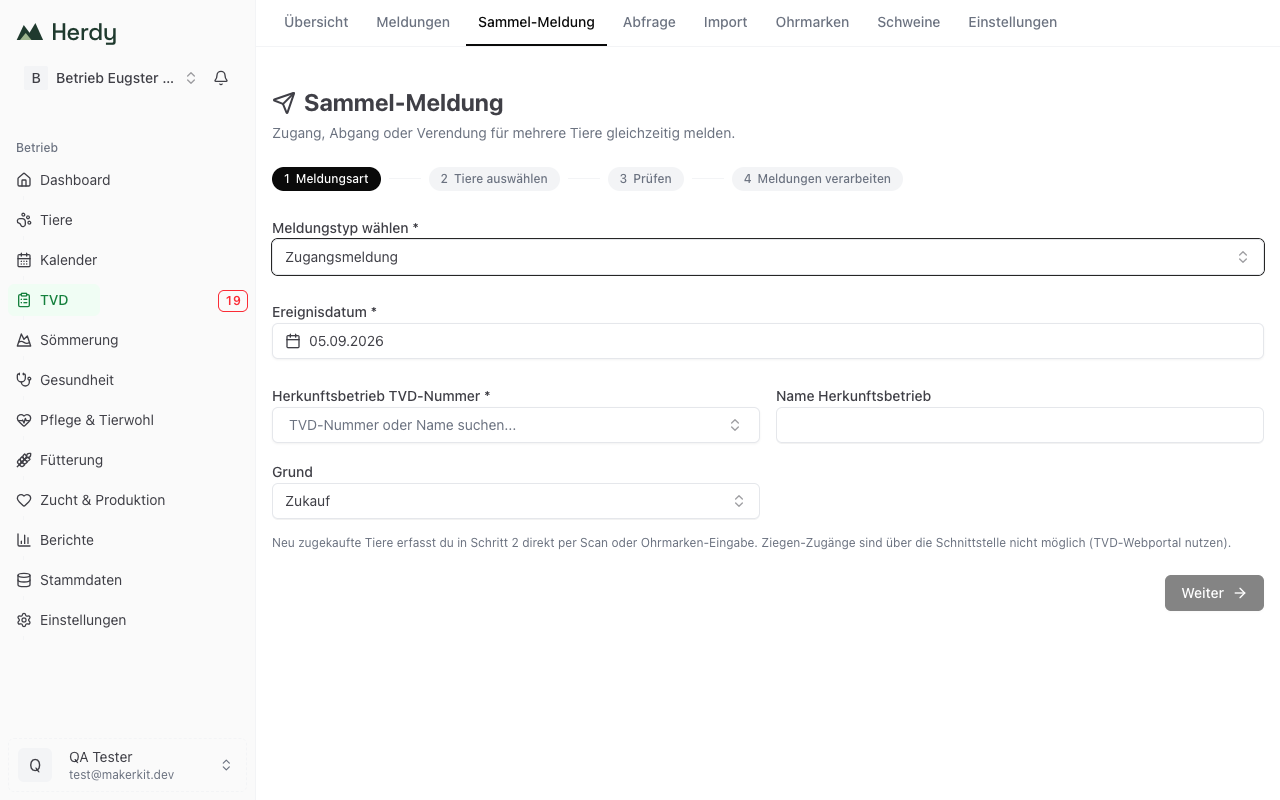
The workflow has four steps, shown at the top: Notification type, Select animals, Review and Process notifications.
Step 1: notification type
- Choose notification type: arrival, departure or death notification.
- Enter the event date. It applies to every animal in this batch.
- Depending on the type you add:
- Arrival: holding of origin TVD number (required), name of the holding of origin and reason (purchase, return from summering, transfer, other reason).
- Departure: destination holding TVD number (required) and destination holding name.
- Death: cause of death and disposal method. Both are for your records only and are not sent to the TVD.
- Click Continue.
Step 2: select animals
There are three ways, and you may combine them freely:
- Choose group: Takes in every member of one of your animal groups at once.
- Add animal: Individual animals via search by ear tag or name.
- Scanning: With a connected ear tag reader. Scanned animals land in the same selection as the ones added by hand.
For an arrival notification there is an extra field, Record new ear tag (purchase). Use it for bought-in animals that do not exist in Herdy yet. Herdy creates them once the TVD confirms the notification. Such rows carry the badge New.
Note: A seven-digit number is a goat tag. Goat arrivals are not possible through the interface, so Herdy rejects the entry and points you to the TVD web portal.
For departure and death only animals currently on the holding can be selected. For arrival, departed animals are offered too, because those are exactly the ones coming back.
Click Continue.
Step 3: review
Herdy checks every animal against the current state and shows a list. At the top it says how many animals are ready: «x of y animals ready to send.» Each row shows whether the animal can be used, and otherwise why not:
- Not found in this herd
- Not a valid ear tag
- New animal: will be reported as an arrival and created in the herd after TVD confirmation
Nothing is sent automatically. Only the click on Send notifications triggers submission.
Step 4: process notifications
Herdy submits the notifications and shows the progress. At the end you see how many were confirmed and how many rejected. If new ear tags were involved, Herdy then fetches the animal data from the TVD and creates the animals. If that does not work right away, it happens at the next synchronisation.
Animals that were not sent are listed individually with their reason:
| Reason | Meaning |
|---|---|
| Animal was not found | The record no longer exists. |
| Batch notifications are currently only available for sheep and goats | Wrong species. |
| Ear tag number is invalid | The number cannot be read as an ear tag. |
| Arrival notifications for goats are currently not possible through the interface | Please use agate.ch. |
| An arrival notification for this ear tag is already under way | Duplicate prevented. |
| Animal is not eligible for this notification | For example already departed or dead. |
To the notification log then takes you to the full list, where every notification created appears individually with its status.
When submission stalls
If the Agate session expired during processing, Herdy says so explicitly: the batch was recorded locally but did not reach the TVD. Renew the connection under TVD > Settings and send the notifications from the notification log.
Tip: Create an animal group for recurring sets such as «Fattening lambs 2026». In step 2 you then have them together with one click.