The Calendar brings together what Herdy already knows from the individual modules. You do not type anything into it: every entry comes from a record made elsewhere, such as a mating, a treatment or a ration plan.
You open it through Calendar in the sidebar, or through More → Calendar on a phone.
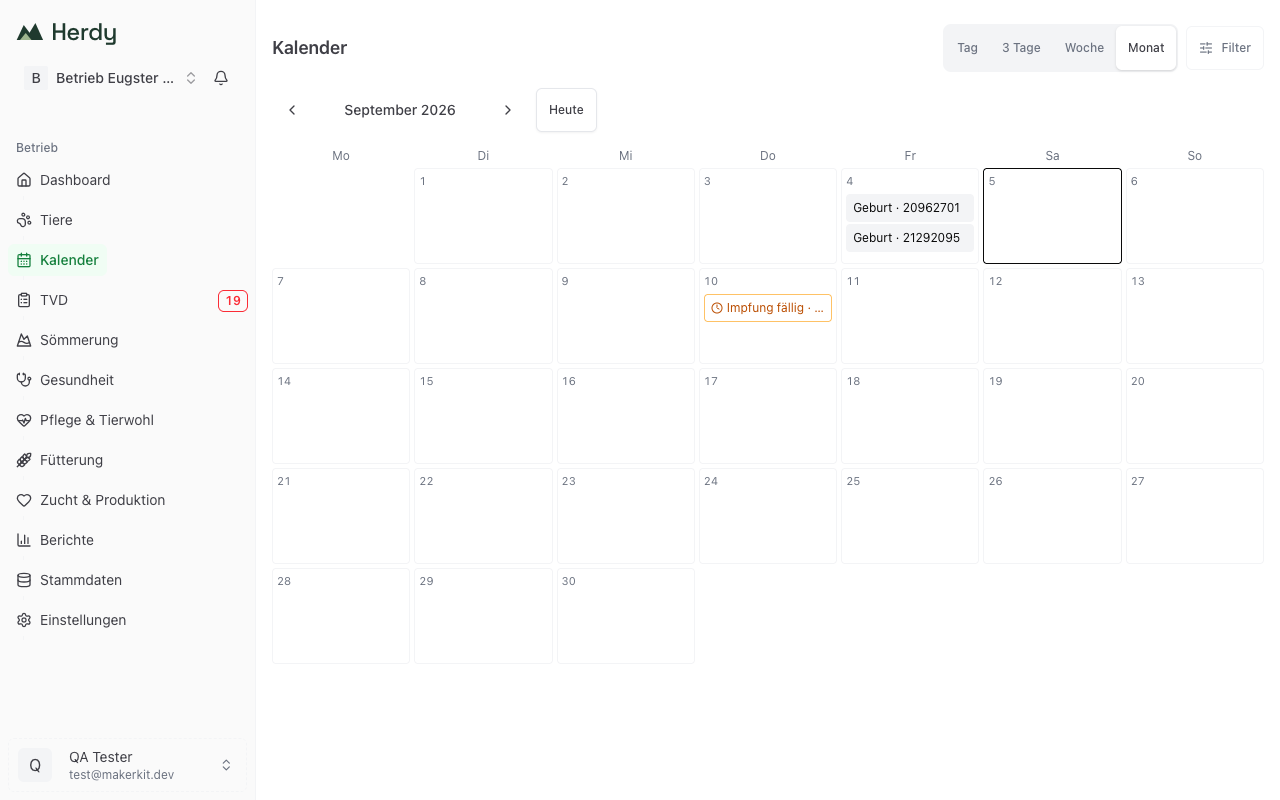
Views
At the top right you switch between Day, 3 days, Week and Month. The arrows page through the periods, Today jumps back.
The chosen view and the active filters are in the address bar. You can therefore bookmark or share the link and land on the same selection again.
What the calendar shows
The calendar collects entries from four areas:
Breeding
- Due date and recorded birth
- Return check, pregnancy check and re-check
- Expected heat, observe first heat, post-partum heat check
- Mating recorded, mating in doubt, verify mating
- Check after the alp descent
Health
- End of a withdrawal period, with the medication in the detail
- Vaccination due, with the vaccine in the detail
- Foot bath and preventive foot bath
- Retest possible and end of the examination period from foot-rot control
Care
- Follow-ups from your care notes
Feeding
- Start and end of a ration plan
Note: TVD deadlines and summering dates do not appear in the calendar yet. You find TVD deadlines in the TVD module, which also shows overdue notifications as a red counter in the navigation.
Filtering
Filters at the top right narrows the view:
- Areas: Breeding, Health, Care, Feeding
- Species: cattle, sheep, goat, pig
- Status: overdue, due, upcoming, done
Reset removes all filters. The number next to Filters shows how many are active.
Opening an entry
Clicking an entry shows the details and, depending on the type, a matching action: Open animal, Open entry, Open note or Record vaccination.
Every entry belongs either to an animal, a group, a location or the whole farm. For deadlines you see whether they are due today, due in X days or X days overdue.
If something is missing
If Herdy cannot load an area, a notice says the view is incomplete. The calendar never hides a gap silently. Reload the page in that case.
If a period is empty it says «Nothing scheduled in this period». If you have filtered and nothing matches, it says «No entries match these filters».
What fills the calendar
For a date to appear in the calendar it has to originate somewhere:
- Record matings and pregnancies under Breeding & Production. Herdy calculates due dates and check dates itself
- Withdrawal periods come from treatments
- Vaccination dates come from vaccinations
- Follow-ups are set in care notes
- Ration plans are created under Feeding